From RFP to Community Engagement Platform in less than 3 minutes
Built for planning firms. Upload the RFP, get an info page, survey, and map you can include in your proposal - for free, before you've won the project.
From RFP to Community Engagement Platform in less than 3 minutes
Built for planning firms. Upload the RFP, get an info page, survey, and map you can include in your proposal - for free, before you've won the project.
From RFP to Community Engagement Platform in less than 3 minutes
Built for planning firms. Upload the RFP, get an info page, survey, and map you can include in your proposal - for free, before you've won the project.
HOW IT WORKS
Three steps in under three minutes.
1
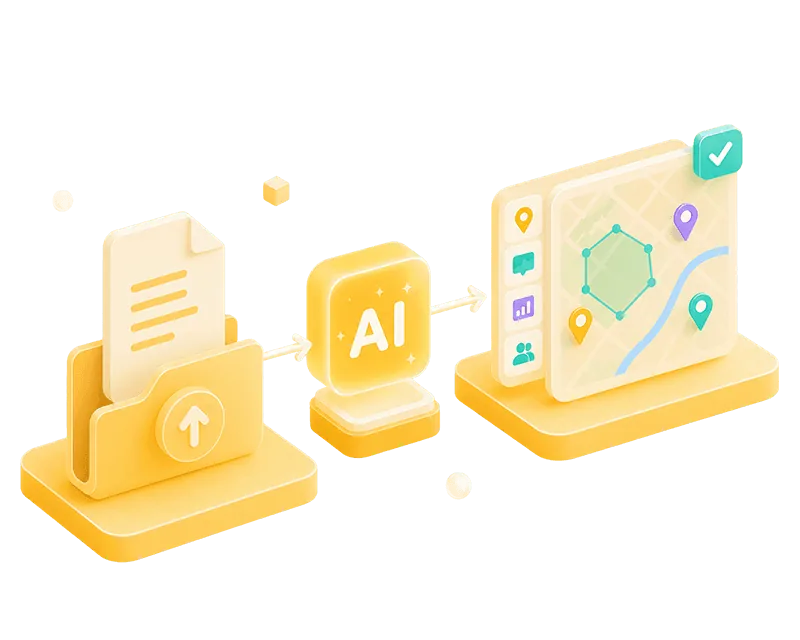
Upload your RFP
Drop in your project documents – our AI reads the scope, the geography, and the engagement requirements.
2
Get your platform
Info page, survey, and map are generated in less than 3 minutes. Fully customizable.
3
Share it today
Embed the preview link in your next proposal – before you even win the project.
HOW IT WORKS
Three steps in under three minutes.
1
Upload your RFP
Drop in your project documents – our AI reads the scope, the geography, and the engagement requirements.
2
Get your platform
Info page, survey, and map are generated in less than 3 minutes. Fully customizable.
3
Share it today
Embed the preview link in your next proposal – before you even win the project.
HOW IT WORKS
Three steps in under three minutes.
1
Upload your RFP
Drop in your project documents – our AI reads the scope, the geography, and the engagement requirements.
2
Get your platform
Info page, survey, and map are generated in less than 3 minutes. Fully customizable.
3
Share it today
Embed the preview link in your next proposal – before you even win the project.
WHAT YOU GET
What's actually in your demo project
Streamline your process with a scalable design system, featuring global styles and customizable components.
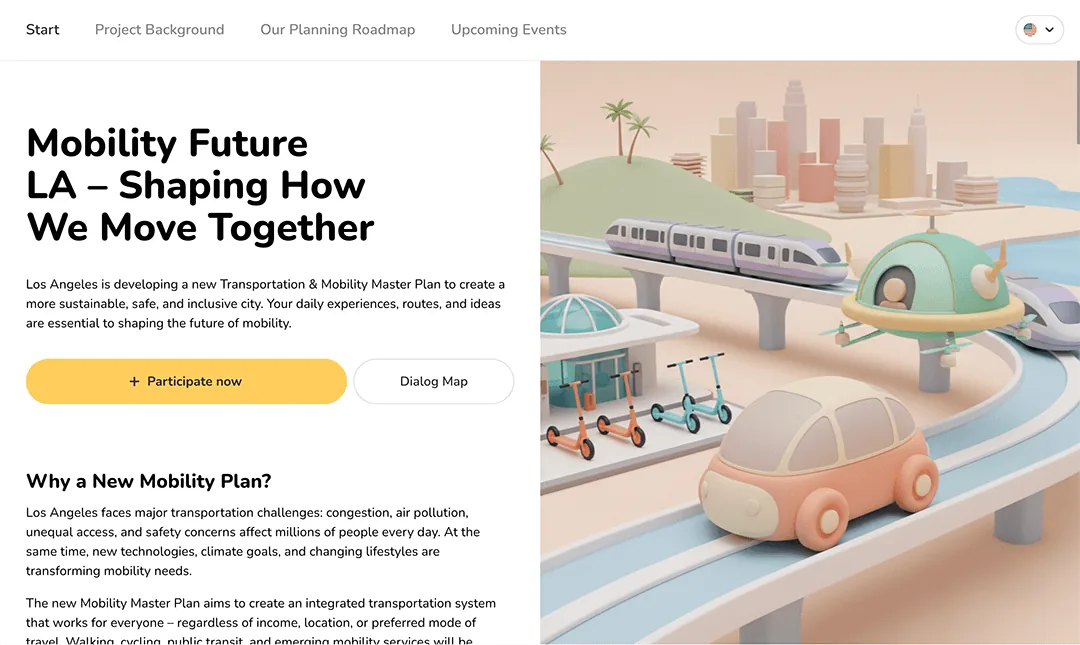
Full Info Page
Your branding, client's logo, your project context. Ready-to-share.
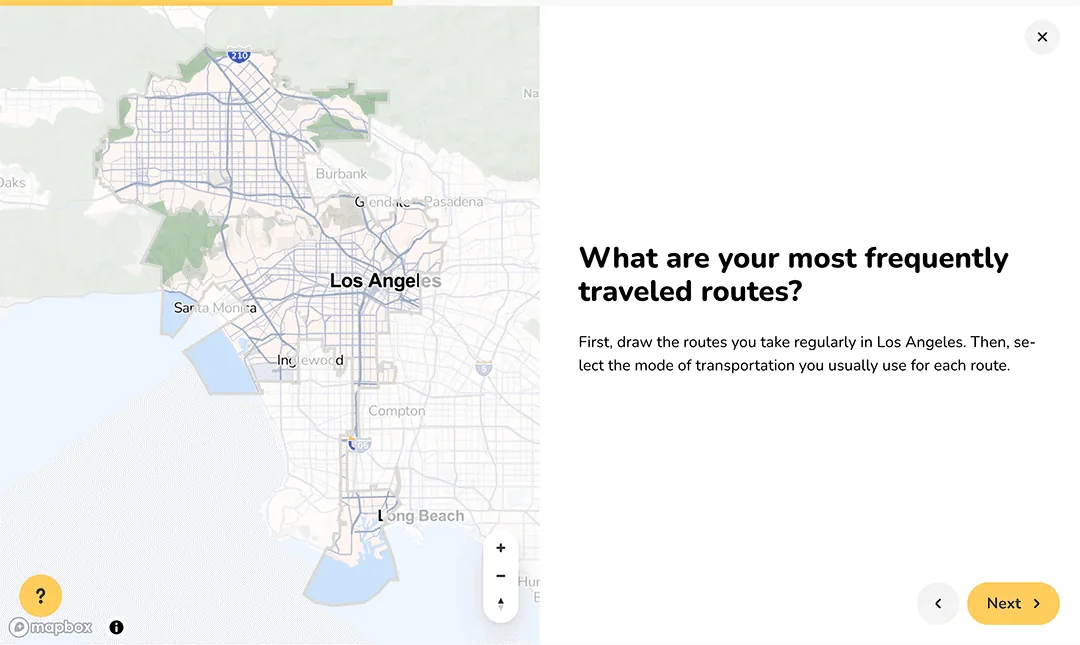
Map-based Survey
Collect spatial input - pins, lines, areas - alongside standard questions.
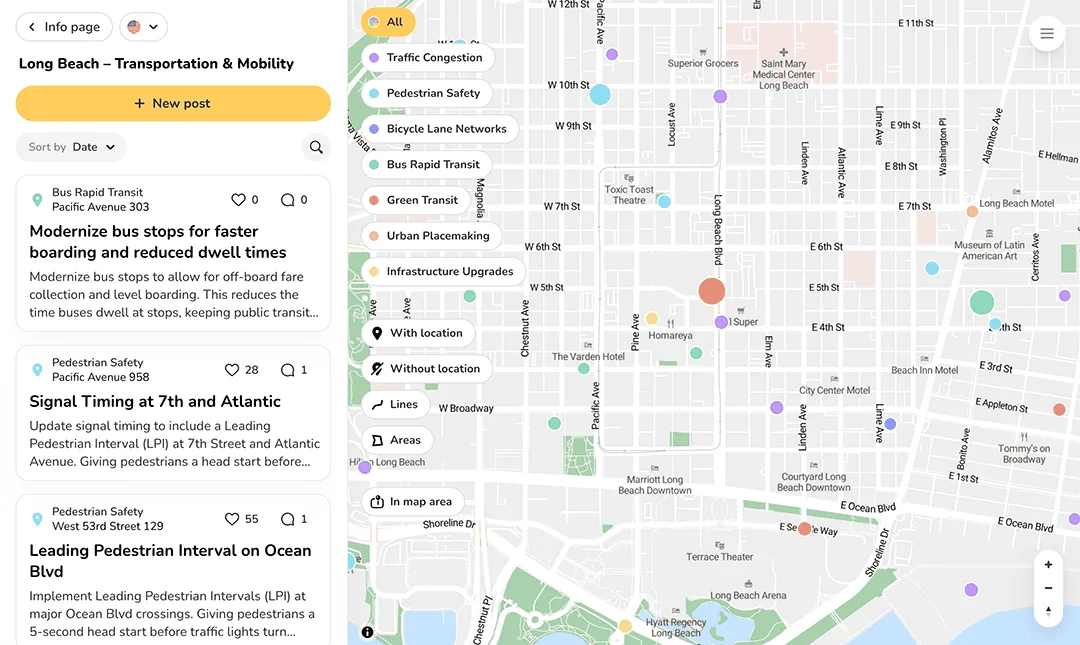
Dialogue Map
Gather comments, likes, and ideas on a live map of your project area
WHAT YOU GET
What's actually in your demo project
Streamline your process with a scalable design system, featuring global styles and customizable components.
Full Info Page
Your branding, client's logo, your project context. Ready-to-share.
Map-based Survey
Collect spatial input - pins, lines, areas - alongside standard questions.
Dialogue Map
Gather comments, likes, and ideas on a live map of your project area
WHAT YOU GET
What's actually in your demo project
Streamline your process with a scalable design system, featuring global styles and customizable components.
Full Info Page
Your branding, client's logo, your project context. Ready-to-share.
Map-based Survey
Collect spatial input - pins, lines, areas - alongside standard questions.
Dialogue Map
Gather comments, likes, and ideas on a live map of your project area
Share your project
Share the demo projects you create using an individual link or QR code. Embed it directly in your proposal.
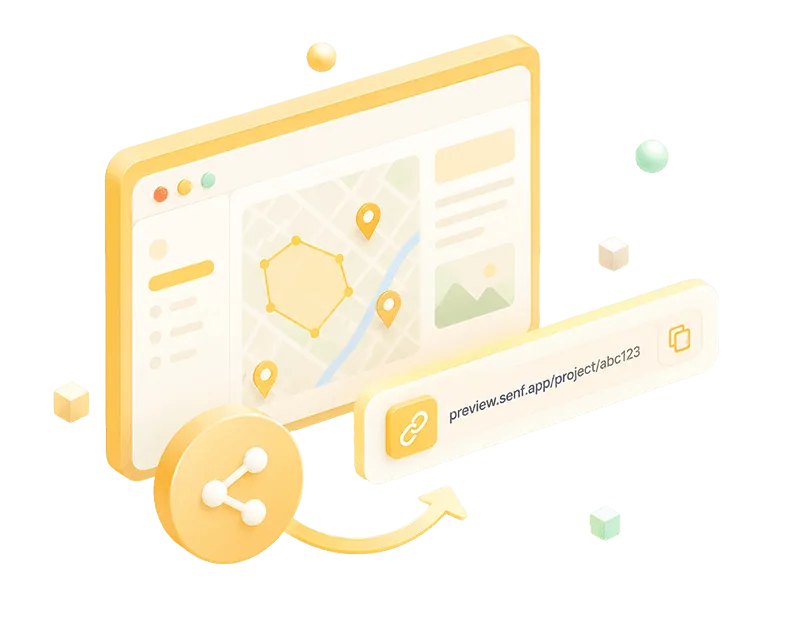
Share your project
Share the demo projects you create using an individual link or QR code. Embed it directly in your proposal.
Share your project
Share the demo projects you create using an individual link or QR code. Embed it directly in your proposal.
Trusted by 100+ planning firms










Trusted by 100+ planning firms
Trusted by 100+ planning firms

"Including Senf in our proposals has become a real competitive advantage. It signals innovation to clients – and it wins projects."
Brian Reetz
Principal, Design Collective
"Including Senf in our proposals has become a real competitive advantage. It signals innovation to clients – and it wins projects."
Brian Reetz
Principal, Design Collective
"Including Senf in our proposals has become a real competitive advantage. It signals innovation to clients – and it wins projects."
Brian Reetz
Principal, Design Collective
FAQ
Your questions, our answers
Is it really free to start?
Yes – no credit card, no setup call, no commitment. Create an account, upload your RFP, and get your platform in seconds. You only need a license when you're ready to go live and collect real participation data.
Can I share the platform before going live?
Absolutely. Every project comes with a shareable preview link — embed it directly in your proposal, share it with your team, or show it to your client. No license needed for preview sharing.
What do I need to go live?
Once you've won the project and are ready to collect real community input, you activate a project license. Book a quick call and we'll get everything set up — your project stays fully intact, you pick up right where you left off.
Can I use Senf alongside ArcGIS or our existing GIS tools?
Yes .Senf doesn't replace your GIS workflow, it feeds it. You can upload your own maps as GeoJSON or Shapefiles. And map-based responses export directly as GeoJSON or Shapefile straight into ArcGIS or QGIS. No manual geocoding, no data translation.
What if I don't have an active RFP - can I still try it?
Yes. You can upload any project brief, scope document, or even a rough description of a project you're working on. The AI works from whatever context you give it. If you'd rather see it in action first, you can also start from a blank project or one of our templates.
How good is the platform the AI generates from my RFP, really?
A solid starting point - not a finished project. The AI reads your RFP and sets up an info page, survey, and map that match your project scope, area, and engagement requirements. From there you edit, swap, and refine - most planners shape the demo into proposal-ready form in about 15-20 minutes. You always stay in control. The AI removes the blank-page step. You bring the judgment.
What happens to my RFP data?
Your documents are used solely to generate your project platform and are not shared with third parties or used to train our AI. You stay in full control of your data at all times.
FAQ
Your questions, our answers
Is it really free to start?
Yes – no credit card, no setup call, no commitment. Create an account, upload your RFP, and get your platform in seconds. You only need a license when you're ready to go live and collect real participation data.
Can I share the platform before going live?
Absolutely. Every project comes with a shareable preview link — embed it directly in your proposal, share it with your team, or show it to your client. No license needed for preview sharing.
What do I need to go live?
Once you've won the project and are ready to collect real community input, you activate a project license. Book a quick call and we'll get everything set up — your project stays fully intact, you pick up right where you left off.
Can I use Senf alongside ArcGIS or our existing GIS tools?
Yes .Senf doesn't replace your GIS workflow, it feeds it. You can upload your own maps as GeoJSON or Shapefiles. And map-based responses export directly as GeoJSON or Shapefile straight into ArcGIS or QGIS. No manual geocoding, no data translation.
What if I don't have an active RFP - can I still try it?
Yes. You can upload any project brief, scope document, or even a rough description of a project you're working on. The AI works from whatever context you give it. If you'd rather see it in action first, you can also start from a blank project or one of our templates.
How good is the platform the AI generates from my RFP, really?
A solid starting point - not a finished project. The AI reads your RFP and sets up an info page, survey, and map that match your project scope, area, and engagement requirements. From there you edit, swap, and refine - most planners shape the demo into proposal-ready form in about 15-20 minutes. You always stay in control. The AI removes the blank-page step. You bring the judgment.
What happens to my RFP data?
Your documents are used solely to generate your project platform and are not shared with third parties or used to train our AI. You stay in full control of your data at all times.
FAQ
Your questions, our answers
Is it really free to start?
Yes – no credit card, no setup call, no commitment. Create an account, upload your RFP, and get your platform in seconds. You only need a license when you're ready to go live and collect real participation data.
Can I share the platform before going live?
Absolutely. Every project comes with a shareable preview link — embed it directly in your proposal, share it with your team, or show it to your client. No license needed for preview sharing.
What do I need to go live?
Once you've won the project and are ready to collect real community input, you activate a project license. Book a quick call and we'll get everything set up — your project stays fully intact, you pick up right where you left off.
Can I use Senf alongside ArcGIS or our existing GIS tools?
Yes .Senf doesn't replace your GIS workflow, it feeds it. You can upload your own maps as GeoJSON or Shapefiles. And map-based responses export directly as GeoJSON or Shapefile straight into ArcGIS or QGIS. No manual geocoding, no data translation.
What if I don't have an active RFP - can I still try it?
Yes. You can upload any project brief, scope document, or even a rough description of a project you're working on. The AI works from whatever context you give it. If you'd rather see it in action first, you can also start from a blank project or one of our templates.
How good is the platform the AI generates from my RFP, really?
A solid starting point - not a finished project. The AI reads your RFP and sets up an info page, survey, and map that match your project scope, area, and engagement requirements. From there you edit, swap, and refine - most planners shape the demo into proposal-ready form in about 15-20 minutes. You always stay in control. The AI removes the blank-page step. You bring the judgment.
What happens to my RFP data?
Your documents are used solely to generate your project platform and are not shared with third parties or used to train our AI. You stay in full control of your data at all times.
Upload your RFP to generate a ready to use engagement platform
Senf generates a ready to share and fully customizable platform. Use it for demos, proposals, or real projects.
Upload your RFP to generate a ready to use engagement platform
Senf generates a ready to share and fully customizable platform. Use it for demos, proposals, or real projects.
Upload your RFP to generate a ready to use engagement platform
Senf generates a ready to share and fully customizable platform. Use it for demos, proposals, or real projects.